Introduction
Today we are going to look at utilizing open-source tooling to create an automated purple team solution.
Pre-Requisites
- A computer (or cloud instance) powerful enough to hold at least 2 VMs
- 16GB RAM, 128GM Storage, 6 core CPU minimum
- An Ubuntu Virtual Machine
- A Windows Virtual Machine
- A copy of Caldera
- A copy of VECTR
- A copy of calderaToAttire
I configured the VMs in VMWare Workstation. I gave both 2 NICs, one NAT for external internet access, one Host-only for both machines to communicate with each other.
The ubuntu server is our C2 host which has docker and python installed. Follow the instructions for both Caldera and VECTR to stand up the docker containers.
The windows server I have running Server 2022. It is configured as a Domain Controller as I have an App Server and Win 11 PC as well to create a mini enterprise network. Only one target computer is really necessary for this testing. It has windows defender running.
Caldera
Caldera is an open-source automated breach and attack simulator by MITRE, now ran by Apache.
To start, we can login as red and go to the agents tab. First click Configuration. under Bootstrap abilities, I added Agent Persistence via Scheduled Task (schtasks.exe) to ensure it will start again if killed. Save to go back to the main agents screen.
Next click Deploy an agent. I chose sandcat, and selected the Windows OS. Under app.contact.http ensure the correct IP is configured and not 0.0.0.0. Then copy the code to the windows machine to install the beacon.
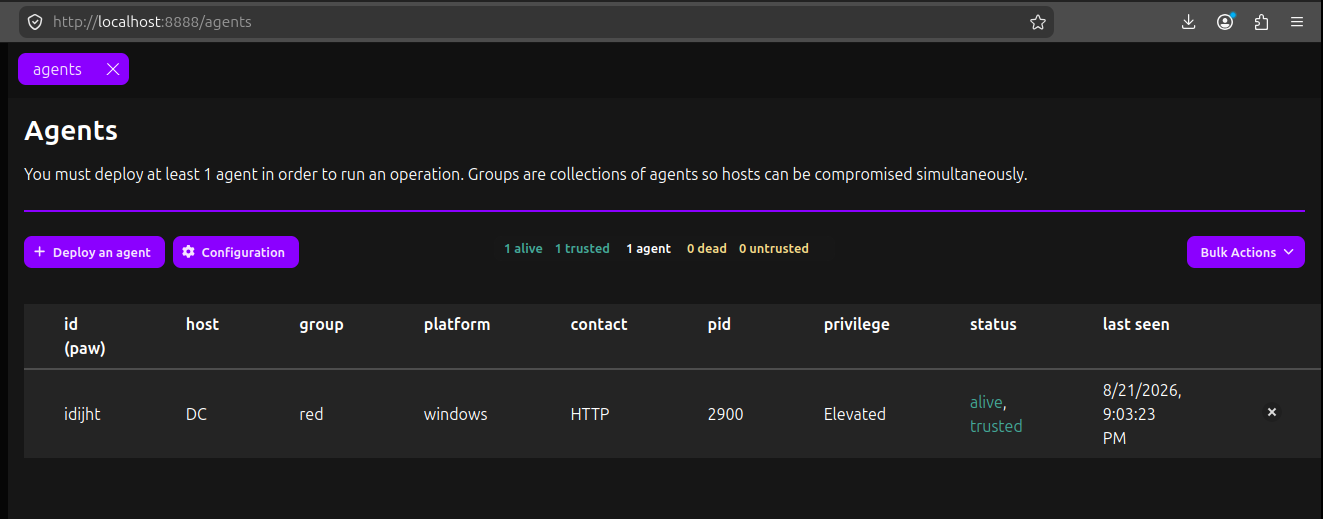 The beacon should show up as
 alive, trusted in Caldera. Using Task Manager on the windows VM, we can see splunkd.exe running under processes.
Under the adversaries tab, we can see the out of the box assessments that we can run. Most of these are fairly focused on specific sections of the kill chain. We have the ability to dynamically create our own based off of the several hundred loaded abilities as well.
Let's try Defense Evasion. Under Operations, click New Operation I called this Evade_21Aug2026 and chose the Defense Evasion adversary. I chose the steganograpy obfuscator and left the rest of the settings as is.
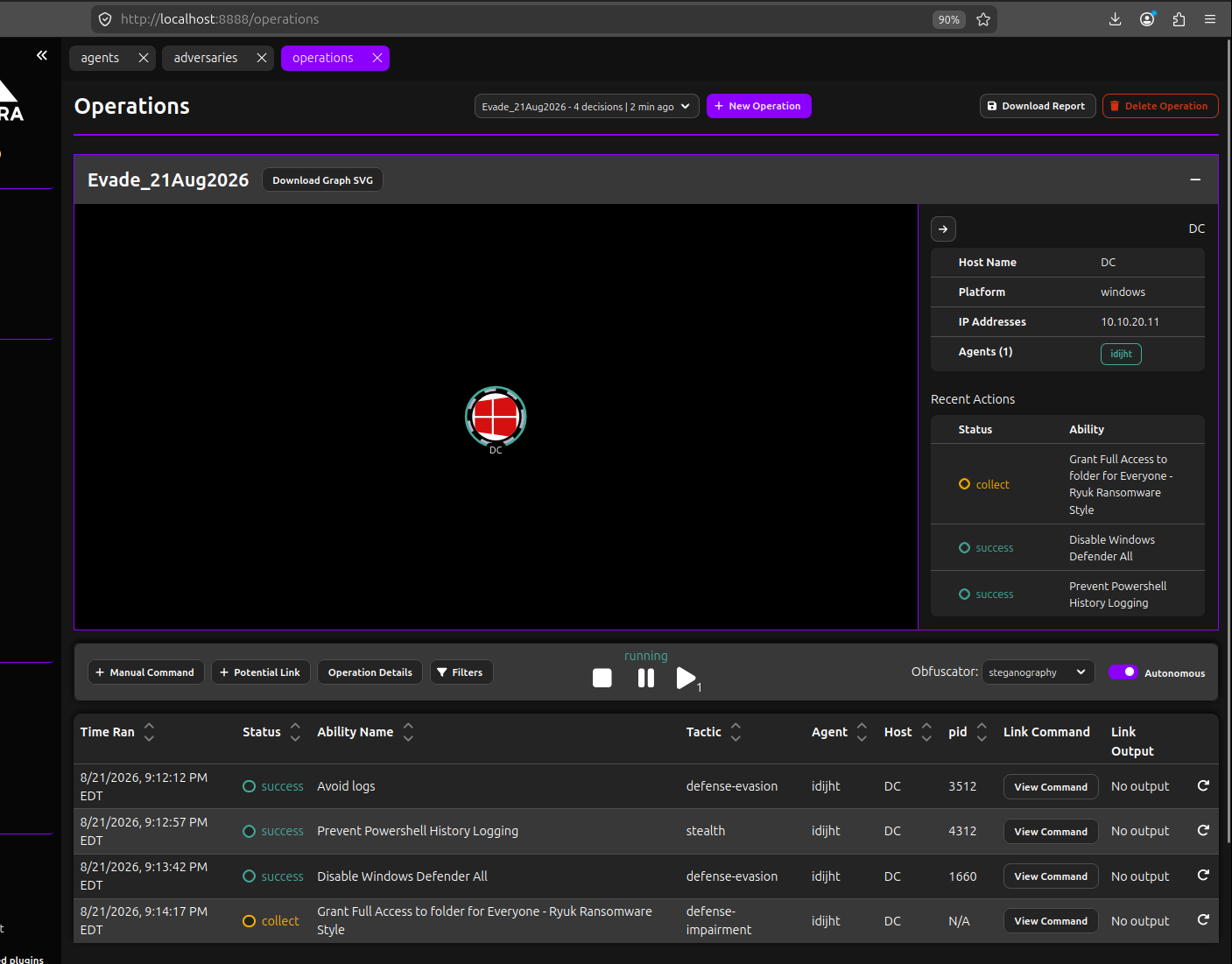 Upon clicking run, we can see the operator view of the target and actions. Each task will run under its own process ID and has a random level of jitter between options. It's set to autonmous mode and will proceed down the task list on it's own, updating the statuses as it goes. For the most part, you won't see anything on the victim computer. Sometimes Defender would pop up an alert and try to block some of the activity. Wait a few minutes for the test to complete.
Once completed, click the Download Report button. I selected Full Report and checked the box for agent logs. It will drop a JSON file.
calderaToAttire
With our JSON file, we can convert it into a format know as ATTiRe which VECTR uses for campaign ingestion.
ubuntu@ubuntu:~/Downloads$ python3 /opt/calderaToAttire/CalderaToAttire.py Evade_21Aug2026_report.json
This drops a new ATTiRe Evade_21Aug2026_<id>.json file in the current directory.
VECTR
While caldera can handle automating the red team techniques, out of the box it does not have capabilities for validating blue team defenses. This is where VECTR comes in.
This point assumes VECTR is already running and a default environment has been configured with a few defense tools online.
On the main home screen, Click Start New Assessment then the custom hyperlink. Fill out the form, leaving Campaigns at the bottom unchecked.
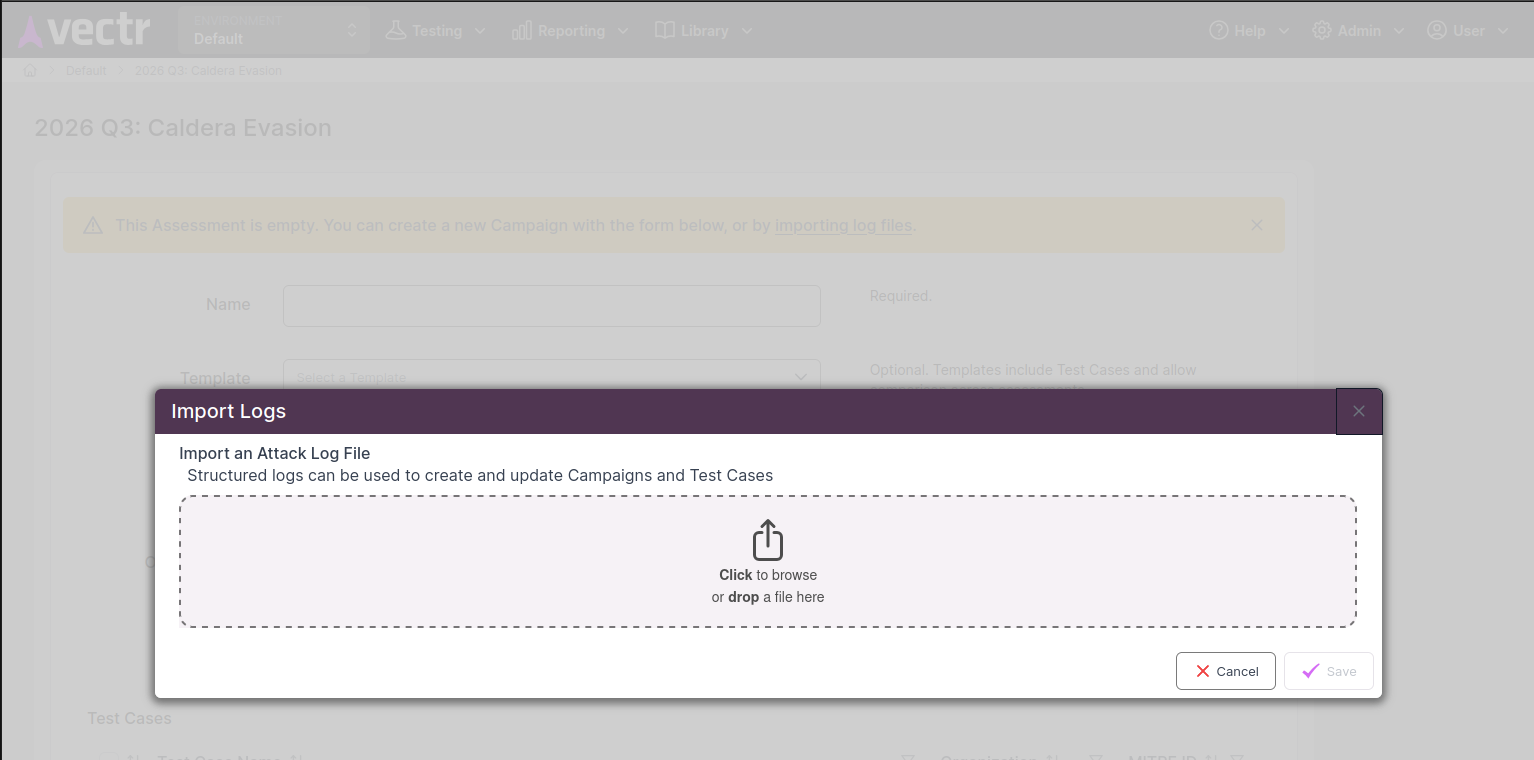 Click on the new assessment, and click
 importing log files in the yellow warning banner. This is where we can upload our ATTiRe.json file.
Review the test cases, and select all to import. Now we have our entire campaign's red team filled out.
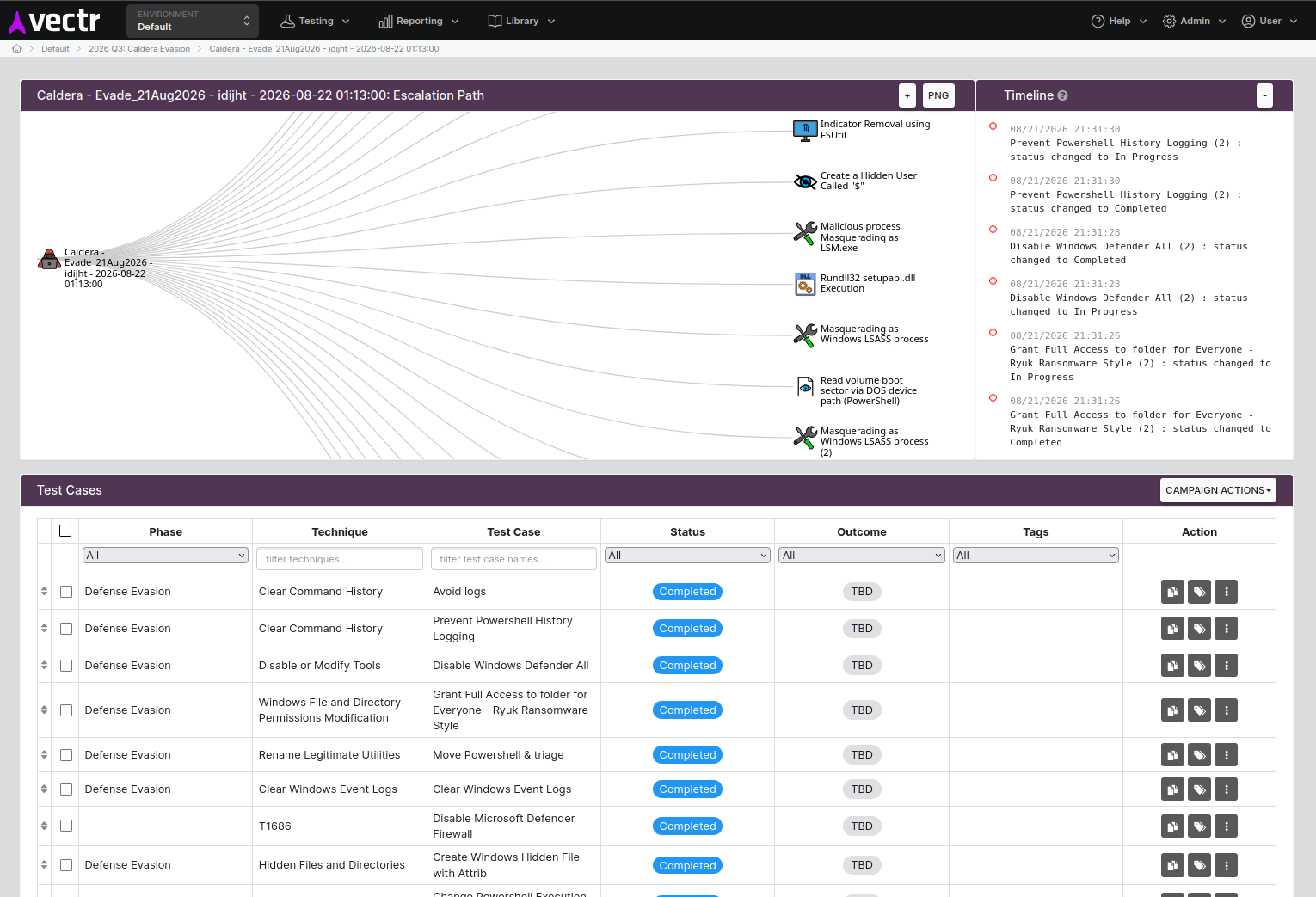
At this point, we can click into the blue team tests and annotate any activity from our defense tools that may have shown up in logs or triggered alerts.
Recap and Next Steps
At this point we have used 3 open-source tools to run a red team test and transfer it's output into a tool for detection validation.
There are still improvements that can be done from here.
- Automate dropping the report json from Caldera and ingesting into VECTR
- Download the report from caldera's API using
POST /api/v2/operations/<operation-id>/report - Run the .json through the python conversion tool
- Send the converted .json through VECTR's API
POST /sra-purpletools-rest/files/upload/anyto load the file into VECTR and return a file ID - Pass the file ID through
POST /sra-purpletools-rest/logImport/uploadto load the import confirmation view - Programatticaly select the appropriate tests using
POST /sra-purpletools-rest/logImport/confirmto create the new campaign and return it's ID.
- Download the report from caldera's API using
Another note is the conversion tool is a few years old and VECTR has had some improvements and field additions to the test case UI. One example is my target seems to be set to 0.0.0.0 when I import the file, this should be fixed to properly parse the target from Caldera. Other notable missing fields are things such as privileges required, user context, defense tools, detection guidance and prevention guidance. Using LLMs to help create guidance can help enrich these test cases. It also would be worthwhile to link Caldera's abilities to permanent test cases in the library instead of creating new ones each time.
Using automation to integrate with a SOAR platform or building an additional script to perform searches against alerts and logs can assist with automating the blue team side for each test case.
MITRE also has an MCP plugin that allows you to hook your LLM of choice up to caldera to create new adversary abilities and operations.